Data Collection

Scroll down for templates, instructions and video walkthroughs below.
Sales Data Template
Please use this template for sales data from all non-API channels.
Purchases & Imports Template
Please use this template for purchases and importing data.
Cost Prices Template
Please use this template for cost price data.
We can collect data directly from your Amazon, eBay, Shopify and WooCommerce stores. We do this with APIs that connect your store to Tribexa. If you sell on these channels, we require you to use an API. 

To use an API connection, please visit the Integrations section in Tribexa. If you're having any issues with your API connection, you can raise a ticket in Tribexa or talk to your Client Manager.

By sending us Amazon data via email, you may be infringing Amazon’s policy around the 30-day limit of PII (Personal Identifiable Information).

Benefits of our APIs

Faster data transfer
Enhanced compliance
Increased data security

How to send us your non-API data

If you sell on channels that we don’t currently have an API for, have purchase or import data, or cost price changes, you'll need to send us this data manually, in the predefined templates below.
Sales Data from Other Channels

Please list your sales in excel, you can find a template here.
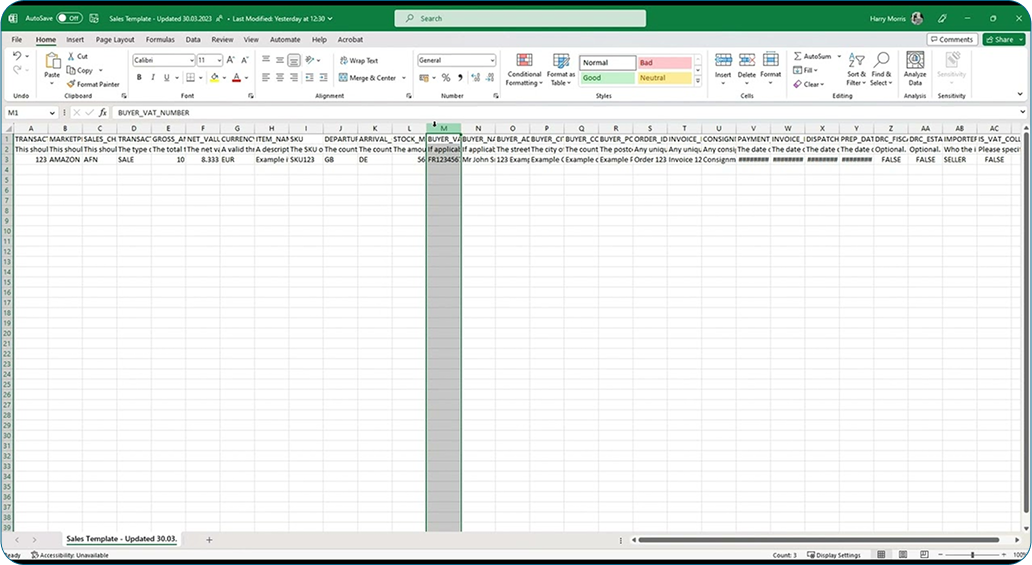
How to use the Sales Data template
If you’re unsure of how to use the Sales Data Template, please watch the tutorial below.
Video Thumbnail

Purchase Data & Imports

If you have made any purchases in any of the Amazon Pan-EU countries, including any imports (SAD documents), please select the relevant template and fill it out with the requested information.

For the Purchase Data Template, please click here.
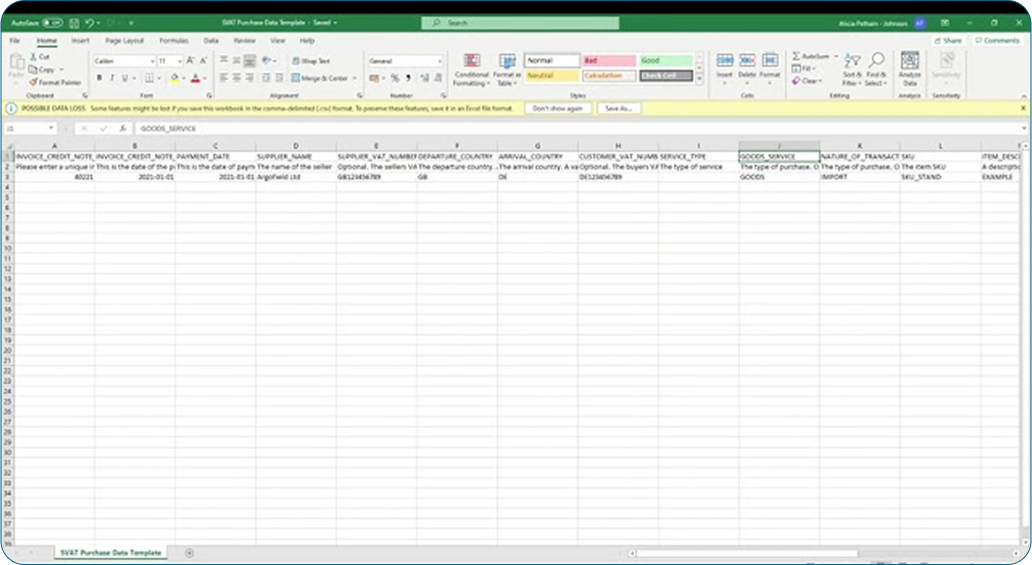
On the purchases templates, please note on the template whether or not you have used postponed accounting for any of your imports.
Video Thumbnail

Cost Prices

Please send us all of your cost prices. Find the template here.

Not notifying your client manager of cost price changes (either increasing or decreasing) on a monthly basis means these cannot be reflected in your VAT returns. If we are missing cost prices, we may not be able to submit your VAT return on time.

Collecting Data From Amazon
(Canadian sales only)

For Canadian sales, please use Canadian Sales Data Template .

To download your sales data from sellercentral.ca, please follow the instructions below.
Navigate to Reports >> Tax Document Library >> Generate a tax report >> Report Type: Sales Tax Calculation Report >> Select Month for a one-month report, or custom for any longer periods >> Click ‘Generate’.

Latest Posts


How it Works: eBay Global Shipping Program
Find out more

Intrastat Reporting Thresholds 2026
Find out more

Top 10 Ecommerce Trends for 2026
Find out more

Top 10 Reasons You Should Expand into the EU in 2026
Find out more

Top 10 VAT Audit Questions Answered
Find out more

Top 10 Intrastat Reporting Questions Answered 
Find out more

5 Things to Consider When Shipping to EU Countries
Find out more

Ecommerce News December 2025
Find out more

DAP vs DDP: How Should You Ship Your Orders?
Find out more
March 19, 2025
Influencer Tax: Do Online Creators Pay VAT?
March 18, 2025
Do UK Sellers Pay US Sales Tax?
March 18, 2025
Why brand protection is Essential for Ecommerce business
March 19, 2025
Influencer Tax: Do Online Creators Pay VAT?
March 19, 2025
Influencer Tax: Do Online Creators Pay VAT?
© 2026 Borderfree Trade Ltd | Company Reg 8216948
Privacy PolicyCookie Policy
Stay Connected:
menu